AI Virtual Staging &Real Estate Photo Editor
Make your listings stand out with AI-powered photos. Stage empty rooms, restyle spaces, and declutter in seconds — no photographer needed.
Used by real estate agents and home sellers to attract more buyers and close faster.
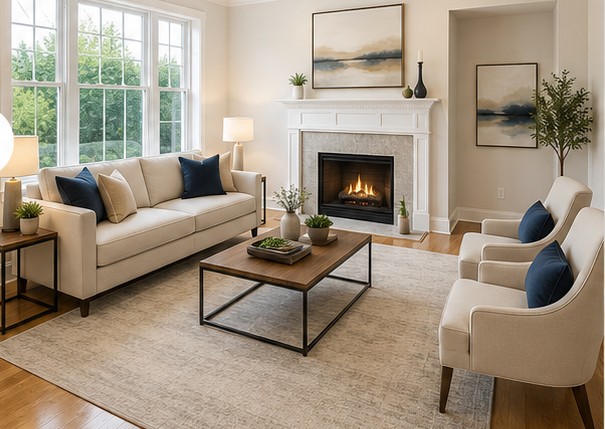
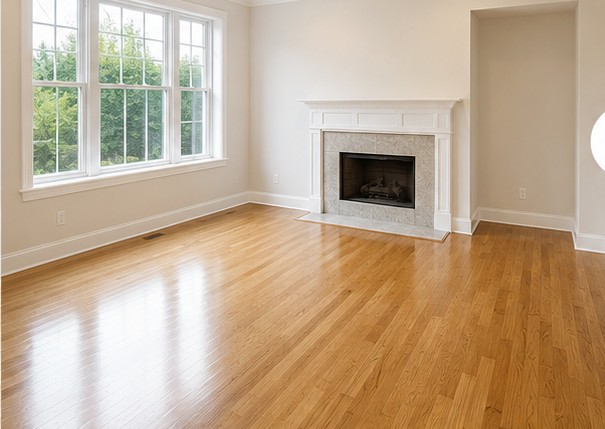
Drag to compare
How It Works
Three steps from empty room to listing-ready photo.
Upload Your Photo
Upload any real estate photo from your phone or camera. JPEG or PNG, any room, any size.
Choose Your AI Tool
Select Stage Room (pick room type), Restyle To... (describe a style), or Virtual Declutter.
Download & List
Download your enhanced photo in seconds. Ready for MLS, Zillow, Realtor.com, and more.
AI Tools for Real Estate
Three tools that cover the full real estate listing photo workflow.
Virtual Room Staging
Stage empty rooms with AI-generated furniture. Choose from 10 room types — bedroom, living room, kitchen, dining room, nursery, and more. Results in under 60 seconds.
Room Restyling
Describe your preferred style — modern minimalist, farmhouse, luxury contemporary — and AI transforms the room with new furniture, decor, and color palette.
Virtual Declutter
Automatically remove clutter, personal items, and mess from listing photos. Surfaces clear, spaces look clean and buyer-ready — without touching the original furniture.
Frequently Asked Questions
Everything you need to know about AI virtual staging.
What is virtual staging?
Virtual staging is the process of digitally adding furniture, decor, and accessories to real estate photos using AI. It helps buyers visualize a space's potential without the cost of physical home staging, which typically runs $1,500–$4,000 per home. makemylistingpop.com delivers virtual staging results in under 60 seconds.
How does AI virtual staging work?
Upload your room photo, select the room type (bedroom, living room, kitchen, etc.), and click Stage Room. The AI analyzes the existing room structure — preserving walls, floors, windows, and doors — then generates realistic furniture and decor appropriate for that room type.
Can I try it for free?
Yes. The free plan includes 5 AI photo edits per month with no credit card required. Sign up and start editing immediately.
What room types can be staged?
makemylistingpop.com supports 10 room types: Living Room, Bedroom, Master Bedroom, Kitchen, Dining Room, Kids Room, Nursery/Baby Room, Home Office, Bathroom, and Outdoor Patio.
How long does AI photo editing take?
Most edits complete in 30–60 seconds. Upload your photo, select a tool, and your enhanced image is ready to download within a minute.
What is the difference between Stage Room and Restyle?
Stage Room is designed for empty or near-empty rooms — it adds furniture and decor. Restyle is for furnished rooms where the existing style looks dated — it replaces furniture and decor to match a style you describe (e.g., "modern minimalist" or "farmhouse").
Is makemylistingpop.com for real estate agents or homeowners?
Both. Real estate agents use it to prepare multiple listing photos efficiently. Home sellers use it to make their property more appealing to buyers before going to market. Paid plans scale from individual sellers to busy agents managing many listings.
More questions? Contact support